Navisphere Carrier
- 4.5
- Rating
- 100.00K
- Installs
- Free
- Price

 Analysis by App-foxy
For a carrier, the value of a load-board app is measured in minutes, not decoration. I looked at Navisphere Carrier from that practical angle: how it fits into a driver’s day, what happens when the connection is unreliable, and whether it is genuinely useful between stops. This is a free Maps & Navigation app from C.H. Robinson Worldwide, Inc., built around finding, booking, and tracking truckloads from a phone.
My first impression is that it is aimed at working carriers rather than casual travelers. It is not a replacement for a road-navigation app, and it does not try to be one. Its purpose is closer to keeping freight opportunities and shipment activity within reach while you are away from a desk. That focus makes it more relevant to owner-operators, small fleets, and drivers who already work with the C.H. Robinson network than to someone simply looking for directions.
How the app feels when connectivity matters
The central experience depends on communication with current load information. When I imagine using it before accepting a run, the important question is not whether the interface looks impressive; it is whether the information is available at the moment I need to make a decision. A load board is useful precisely because its contents can change, so a reliable connection becomes part of the workflow rather than a background convenience.
You May Also Like

 Blood Strike: 2.5 Anniversary
Blood Strike’s Loadouts Turn Every Drop Into a Tactical Gamble
A close look at Blood Strike’s custom loadouts: how fast access to signature weapons reshapes its battle royale rhythm, rewards preparation, and narrows the gap between fights.

 Pandora - Music & Podcasts
Pandora’s Music Is Easy to Start, but Harder to Recover
Pandora’s strength is its low-effort path from a seed to a station. Its weak spot is how much confidence it asks you to place in connection, setup, and quiet recovery.

 8 Ball Pool
 Is Built on Rivalries, Rematches, and Routine
A close look at the rivalries, rematches, shared routines, and unanswered safety questions that turn a quick pool match into a persistent mobile community.

 Samsung Music
’s Quiet Strength Is Playing What You Already Own
Its reach comes less from spectacle than from dependable access to a personal library. That simplicity is both the app’s strongest retention engine and its ceiling.

 AccuWeather: Weather Radar
AccuWeather Review: A Quick, Clear Forecast for Everyday Decisions
For everyday plans, the best forecast is the one you can understand quickly. AccuWeather makes rain timing, radar, and local conditions easy to act on, with a few trade-offs.

 Hill Climb Racing
Why Hill Climb Racing Still Turns Crashes Into One More Run
A tiny car, a bumpy hill and one more upgrade: Hill Climb Racing keeps resurfacing because its simple chaos makes every near-miss feel personal.
More From Our News Desk



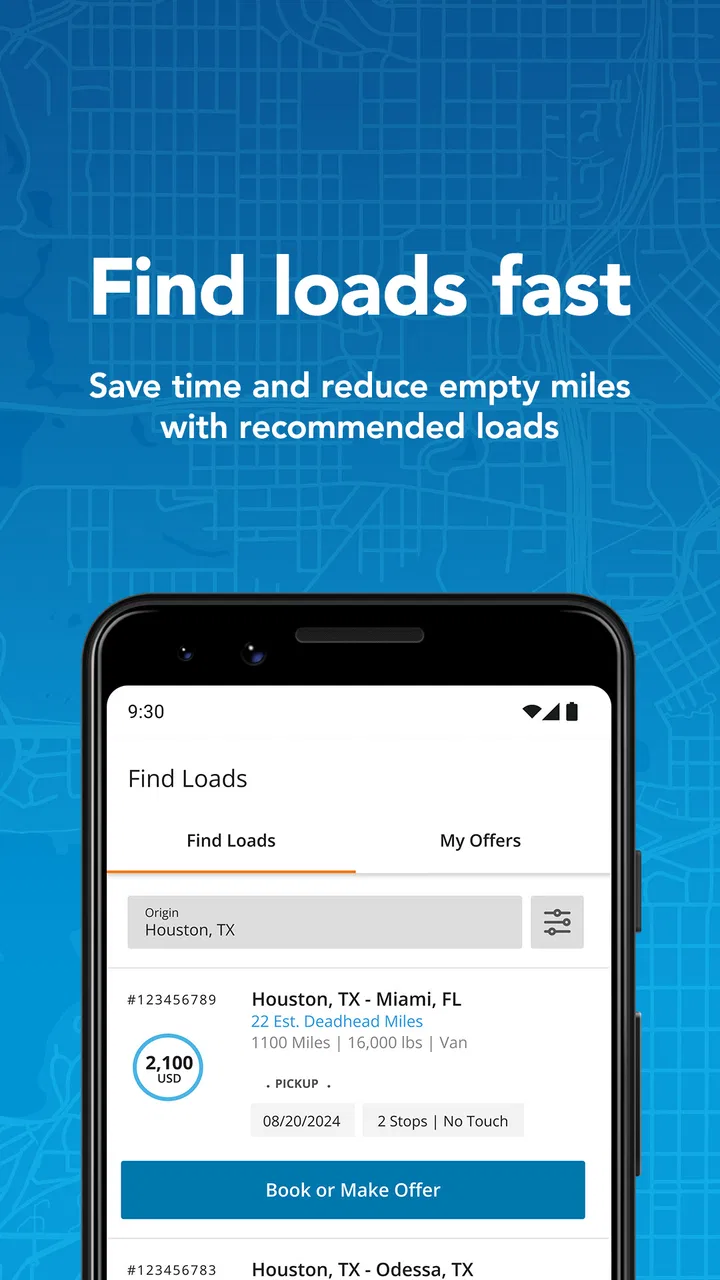
That creates a clear distinction between this app and a conventional map. A navigation app can often continue guiding you along a route after the route has been prepared. Navisphere Carrier is more dependent on fresh interaction: searching for available freight, reviewing an opportunity, booking it, and checking shipment progress are all activities where stale information can be a problem. I would therefore treat a strong connection as essential whenever I am making a booking or confirming a status.
A realistic example is a driver finishing a delivery and stopping safely before deciding what to do next. Instead of waiting to return to a laptop, the driver can use the phone to look for another truckload, consider whether it fits the next leg, and handle the booking from the same device. That is the kind of moment where the app makes sense. It turns an otherwise awkward gap between appointments into a chance to manage work.
The trade-off is that the app’s usefulness can drop at exactly the wrong time: in a yard with poor reception, on a rural stretch, or inside a building where mobile data is inconsistent. I would not begin an important booking while moving, and I would not assume that a screen showing earlier information is enough to confirm that a load is still available. The safer habit is to use it while parked, refresh when the signal is stable, and allow extra time when a decision depends on current information.
Using it from a cab, a yard, or a fuel stop
Mobile work changes how an app is judged. A desktop load board can show more information at once and may be easier for comparing several possibilities. A phone has the advantage of being close at hand, but it also encourages quick checks in noisy, cramped, or distracting places. I found the strongest use case to be short, deliberate sessions: pull over, check the available work, inspect the details, and complete the next action without trying to run the whole business from a moving vehicle.
That approach also reduces the risk of treating the app like a navigation tool. The category is Maps & Navigation, but the practical role is freight coordination. I would keep a separate navigation solution for turn-by-turn driving and use this app for the commercial side of the trip. Combining those roles mentally can lead to poor decisions, especially if a driver starts checking load information while driving.
For an owner-operator, the phone-first format can be particularly convenient after a delivery. There is no need to be physically near an office to see whether another opportunity is worth considering. A small fleet may also find the app useful as one part of a broader routine, with the driver checking freight activity while dispatch or administration handles other responsibilities elsewhere.
Still, a mobile screen is not automatically ideal for detailed comparison. If I were weighing several loads with complicated timing, equipment requirements, or route implications, I would prefer to slow down and review everything carefully rather than accept the first attractive option. The app helps with access; it does not remove the need for judgment. Fuel, deadhead distance, appointment timing, hours, and the practical ability to complete the run still require attention outside the quick tap-and-book flow.
What booking and tracking are good for
The strongest part of the concept is the connection between opportunity and follow-through. Finding freight is only the beginning. Booking from the same mobile environment can shorten the handoff between deciding on a load and committing to it. Tracking then gives the carrier a way to stay connected to the shipment’s progress instead of treating the booking as the end of the interaction.
That combination is more useful than a board that only displays listings. In everyday work, a driver may need to move from “What can I take next?” to “What did I accept?” and then to “Where does this shipment stand?” without switching among several unrelated tools. I see that continuity as the app’s main practical strength.
There is also a subtle benefit for memory and organization. After a long day, relying on notes, screenshots, or messages can make it harder to remember which load was selected and what still needs attention. Keeping the work connected to the app can make the sequence easier to follow. I would still keep any legally or operationally important records in the carrier’s normal process, but the app can serve as a convenient working reference.
The limitation is that tracking is only as meaningful as the information being exchanged. A phone with a weak signal may not show the latest state immediately, and a user should avoid assuming that a delayed display means nothing has changed. If a delivery timing decision is urgent, I would verify it through the established carrier or dispatch process rather than relying on one screen during a connectivity problem.
What happens when the signal fails
Connectivity failures are not a minor edge case for a mobile freight tool. A driver can leave a busy urban area and enter a corridor where data becomes intermittent within minutes. The important habit is to separate actions that can wait from actions that need confirmation. Browsing or reviewing a previously seen opportunity may be less urgent than finalizing a booking, sending an update, or checking a time-sensitive status.
I would prepare for that difference before leaving coverage. If I were considering a load, I would review its details while the connection was dependable, make sure I understood the commitment, and avoid waiting until the last possible moment to complete the process. I would also note the next required action in a simple personal workflow, because an app should not be the only memory aid when the phone may temporarily lose access.
When the connection returns, I would refresh rather than trust an old screen. That small step matters because availability and shipment information can change while the device is offline or struggling to communicate. It is also a good reason to avoid repeated taps when the interface appears slow. Pressing a booking control several times in frustration can create uncertainty about whether the action went through. Waiting for a response, then checking the resulting state, is the more careful approach.
This is one of the app’s genuine friction points: the mobile format is convenient, but convenience raises expectations. Users may expect every action to behave instantly, even though freight information is connected to live business activity and network conditions. I would describe the app as most dependable when used with patience and a deliberate confirmation routine, not as a tool that makes connectivity irrelevant.
Managing data and battery during a workday
Freight work can involve long hours away from a charger and repeated checks throughout the day. I would use Navisphere Carrier selectively instead of leaving it open and repeatedly refreshing without a reason. Checking before a decision, after a meaningful change in plans, or when following up on a shipment is more sensible than constantly watching the screen.
That behavior is useful for both data-conscious users and drivers who need to preserve battery for calls, navigation, and emergencies. The app is free to download and use, but mobile data and battery are still practical costs of working from a phone. A stable Wi-Fi connection can be useful when available for non-urgent preparation, while a strong mobile connection is more important when a booking or status check cannot wait.
I would also avoid using the app as a substitute for every communication channel. If a dispatcher, customer, or facility requires a direct call or another established update method, the app should complement that process rather than replace it. The best workflow is not “everything happens here”; it is “this app handles the freight tasks it is designed to handle, while the rest of the operation stays in its proper channel.”
Another practical tip is to make decisions in batches when the route and schedule allow it. For example, a driver could review the next opportunity during a planned stop, complete the necessary checks, and then return attention to driving. That is safer and more efficient than making frequent roadside decisions. It also makes the app feel less intrusive during the day.
Who will benefit most from it
I think the clearest audience is a carrier who needs mobile access to C.H. Robinson freight activity and does not want to depend entirely on a desktop. Owner-operators can benefit from having load discovery and booking close at hand. Drivers who regularly need to check shipment progress may also appreciate keeping those tasks in one focused app rather than relying on scattered notes.
It is less compelling for someone who never books freight through this network, someone whose work is handled completely by a dispatcher, or someone looking only for road directions. A general navigation app will be the better choice for route guidance, traffic awareness, and ordinary travel planning. A desktop-centered freight system may also be preferable for a dispatcher comparing many loads at once or managing a larger operation from an office.
The app’s age rating is Everyone, which fits its professional, non-entertainment purpose. Its reach is also substantial, with over one hundred thousand installs, and its average score is 4.4 from around one and a half thousand ratings. Those figures suggest that it has found a real audience, although I would still judge it by whether its workflow matches my carrier relationship and daily responsibilities rather than by popularity alone.
Version, device fit, and everyday expectations
The current version is 2.28.0, and the app runs on Android 7.0 or later. That makes device compatibility worth checking before installing it on an older work phone. A phone that meets the minimum system requirement may still feel less comfortable for extended use than a newer device with a brighter screen, stronger battery, and more dependable mobile reception.
I would also think about the phone’s role in the cab. If it is already handling navigation, calls, messages, and electronic logging tasks, switching between apps can become tiring. Navisphere Carrier is most useful when it has a clear place in the routine instead of being another screen competing for attention. A simple sequence—park, connect, review, act, confirm, close—keeps the tool practical.
Because the app is free, the main question is not purchase cost. It is whether the access it provides saves enough time or effort for the way I obtain and manage loads. For a carrier already working with the relevant freight network, that value can be meaningful. For everyone else, free installation alone is not a reason to add another app to a busy phone.
My connectivity verdict
After looking at the app through the realities of mobile work, I see Navisphere Carrier as a focused companion for freight decisions rather than a complete transportation command center. Its ability to bring load discovery, booking, and tracking into a phone is genuinely useful when a driver is between stops and needs to act without returning to a desk.
The best results come from respecting its dependence on communication. Use it while parked, make important decisions when the signal is reliable, refresh after interruptions, and confirm actions instead of repeatedly tapping through a slow connection. Those habits are not optional polish; they are what make a network-dependent workflow safer and less confusing.
My recommendation is straightforward: if you are a carrier who needs mobile access to C.H. Robinson load activity, this free app is worth trying. I would skip it if you want ordinary navigation, if your dispatcher already handles every freight decision, or if you need a broad office-style system for complex fleet management. For the right user, its value is not flashy features but timely access at the moment a working carrier needs to find, commit to, and follow a load.
FAQs for Navisphere Carrier
01What is Navisphere Carrier and what are its main features?
Navisphere Carrier is a logistics app designed for carriers to manage their shipments efficiently. It offers features like real-time load tracking, document management, and communication tools. Users can also access load boards, view payment details, and interact with shippers, making it a comprehensive solution for freight management.
02Is Navisphere Carrier available for both Android and iOS devices?
Yes, Navisphere Carrier is available for download on both Android and iOS platforms. It ensures that carriers can access their tools and manage their logistics needs regardless of the operating system, providing flexibility and convenience for users on the go.
03How does Navisphere Carrier ensure data security and privacy?
Navisphere Carrier employs robust security measures to protect user data, including encryption and secure servers. It complies with industry standards to ensure that all sensitive information, such as shipment details and financial transactions, remains confidential and protected from unauthorized access.
04Are there any costs associated with using Navisphere Carrier?
Navisphere Carrier offers a range of features that may have associated costs, depending on the services you choose to use. While the app itself might be free to download, certain premium features or services may require a subscription or additional fees. Users should check the app’s pricing details for more information.
05Can Navisphere Carrier integrate with other logistics management systems?
Yes, Navisphere Carrier is designed to integrate seamlessly with various logistics management systems. This integration capability allows for streamlined operations and data synchronization across different platforms, making it easier for carriers to manage their shipments and communicate effectively with their partners.
Pros
- User-friendly interface for easy navigation.
- Real-time tracking of shipments available.
- Supports multiple languages for global use.
- Offers instant load booking capabilities.
- Comprehensive dashboard for quick insights.
Cons
- Limited offline functionality available.
- Requires stable internet connection.
- Occasional app freezes reported.
- No dark mode option currently.
- In-app notifications can be excessive.

Navisphere Carrier
Gallery